Xhorse VVDI BIMTOOL PRO Read ECU ISN Supported List
Xhorse VVDI BIMTOOL PRO can support to read ECU ISN directly. The supported ECU list are as following:
EDC17C45
EDC17C56
EDC17C50_Fxx
EDC17C76
EDC17CP49
MEVD17.2.3(B38)
MEVD17.2.K(B38)
MEVD17.2.4_Exx(N20)
MEVD17.2.4_Fxx(N20)
MEVD17.2.5
MEVD17.2.6(N55)
MEVD17.2.8
MEVD17.2.9_Exx(N20)
MEVD17.2.9_Fxx(N20)
MEVD17.2.H
MEVD17.2.9_Fxx(N20)
MEVD17.2.G(N55)
MEVD17.2_Fxx(N55)
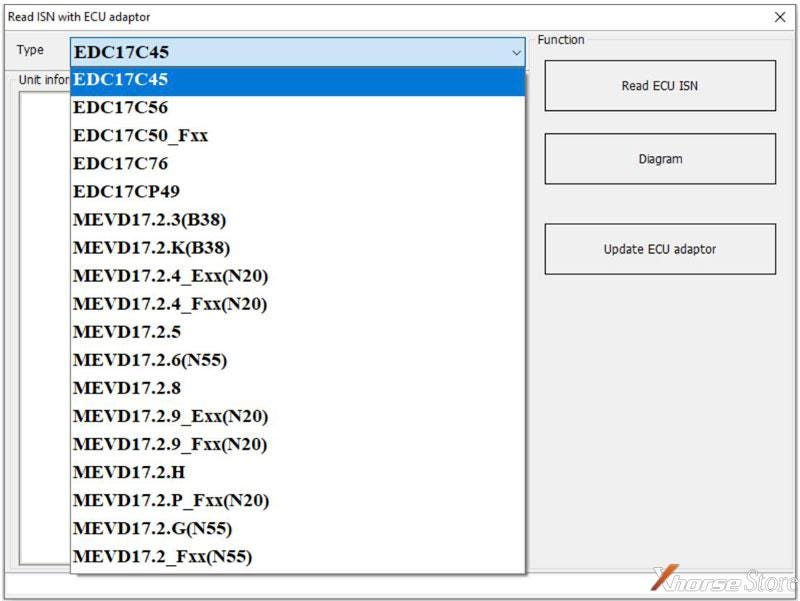
How to read ECU ISN with VVDI BIMTOOL PRO?
Note:
*If you cannot read it, click "Update ECU adaptor".
*If the adapter can be upgraded that means it's normal.
Check whether the connection and option are correct and try to read repeatedly.


Comments
Post a Comment