How to Check Xhorse Condor XC-Mini Plus II Conductivity Cable?

 This is a tutorial on how to check Xhorse Condor XC-Mini Plus II conductivity cable by yourself. In case having conductivity issue on the key cutting machine, you may have a try. It's suggested for experienced locksmiths to operate without damaging the machine.
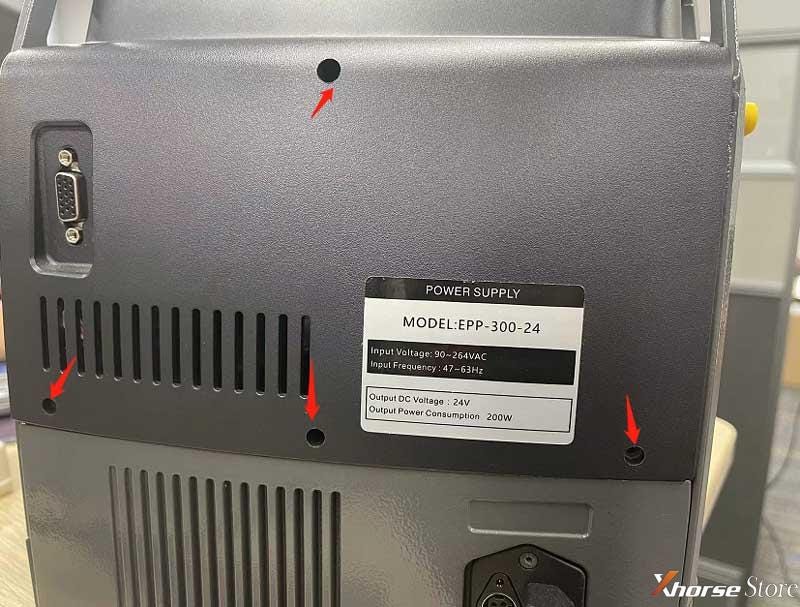
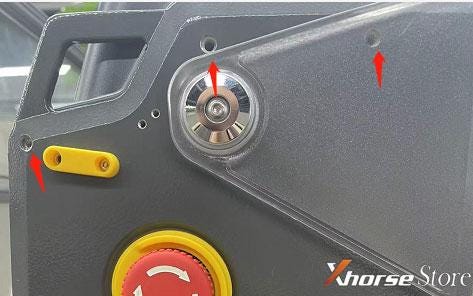
  • Remove the screws on back cover to take off Condor Mini Plus 2
    1. Fix Xhorse Condor XC-Mini Plus II conductivity issue

      Fix Xhorse Condor XC-Mini Plus II conductivity issue

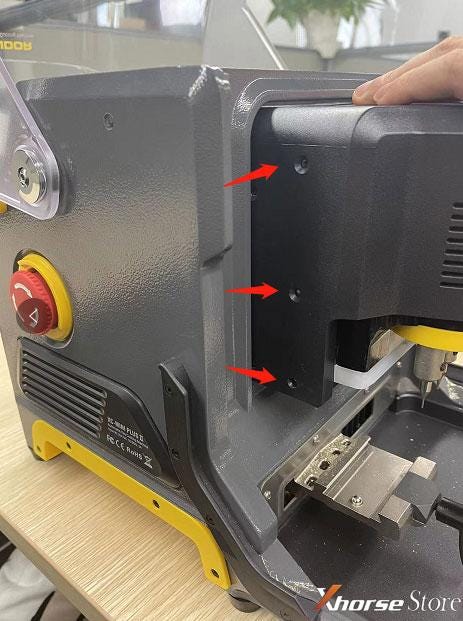
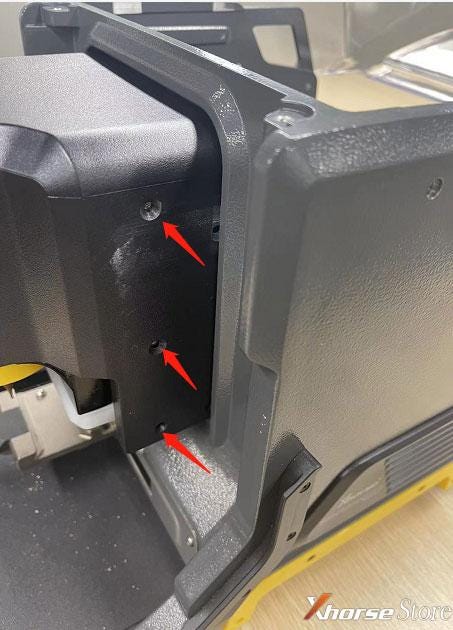
    2. Pull out the whole motor case, remove all screws to take off the motor case.
      1. Fix Xhorse Condor XC-Mini Plus II conductivity issue

        Fix Xhorse Condor XC-Mini Plus II conductivity issue

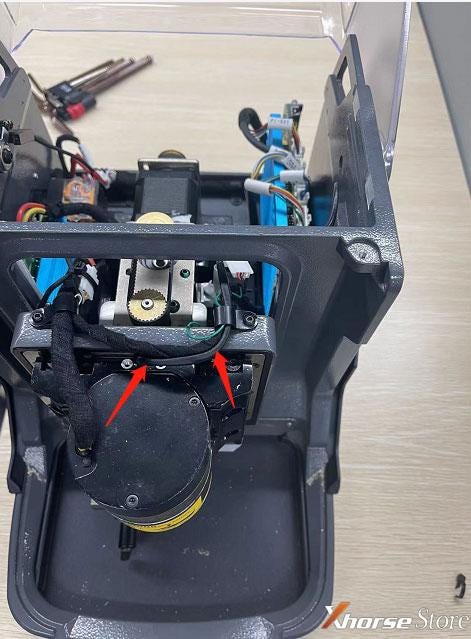
      2. After removing the case, find out the exposed cable that relates to conductivity. Check if the cable was damaged.
        1. Fix Xhorse Condor XC-Mini Plus II conductivity issue

          This cable goes through main motor, one side connects to LED bar and the other side connects to probe base. To remove the cable, please remove the cable socket firstly , then pull it out from bottom LED bar side.

          Please do this under the advice of professional technician.

          Technical Support

          www.xhorsestore.co.uk

          Comments

          Popular posts from this blog

          Xhorse MVCI PRO J2534 Manual: Features, Download, Install

          Xhorse VVDI Key Tool Plus BMW Motor XM38 Key Learning Tutorial

          Xhorse VVDI Mini Key Tool Generate Toyota 0010(39), Possible?