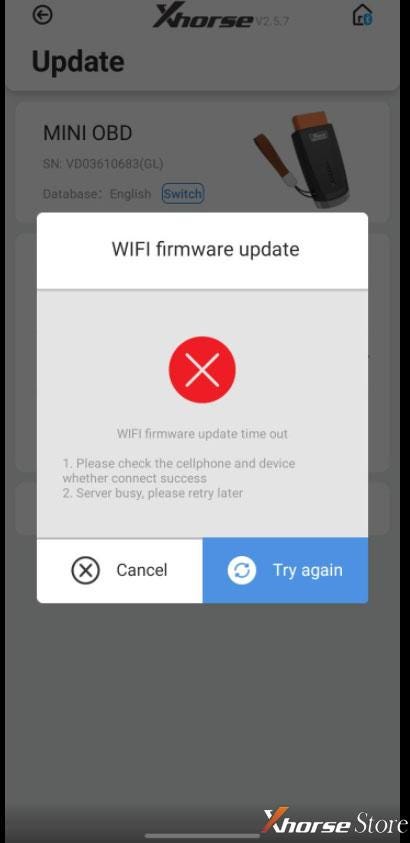
Problem: I've tried to update Xhorse VVDI Mini OBD Tool WIFI firmware several times, but
each time it just failed and gave an error:
"WIFI firmware update time out
Please check the cellphone and device whether connect success.
Server busy, please retry later."
Any ideas? Please help me.
Solution:
Follow the steps below to repair VVDI Mini OBD firmware:
Download "factoryTest _V1.8.exe"
https://mega.nz/file/Vg0VEYSI#seI0uSTTvt9AEWqOiwvtVT23uqCEAoO-XG2L8-rC-PM
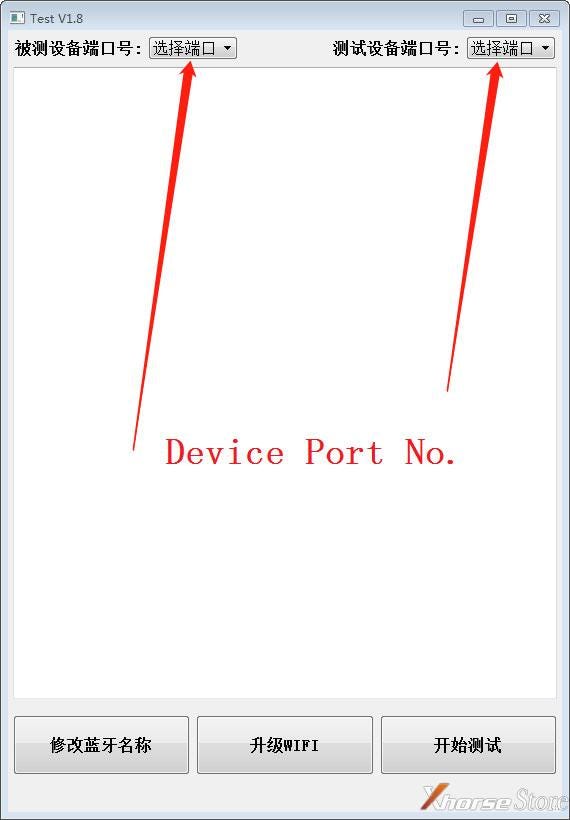
Run "factoryTest _V1.8.exe" and connect Mini OBD Tool with PC, select device
port no.
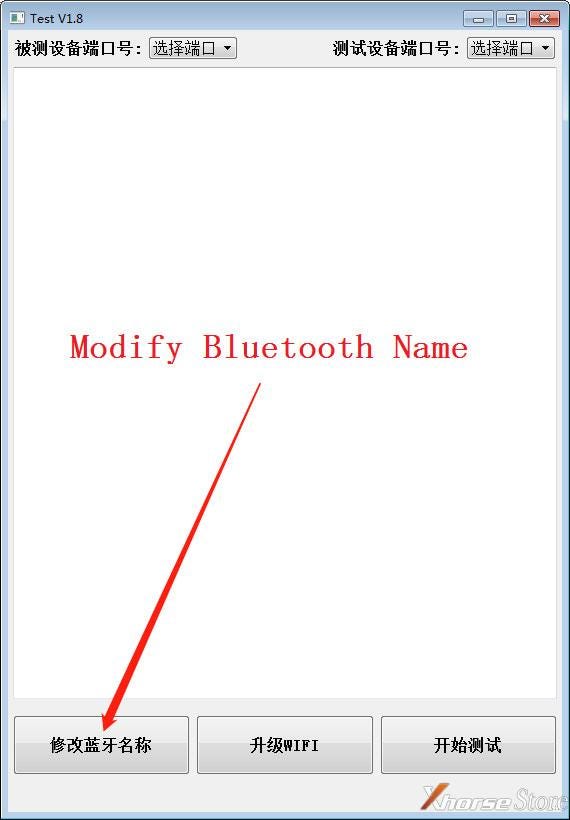
 Click "Modify Bluetooth Name".
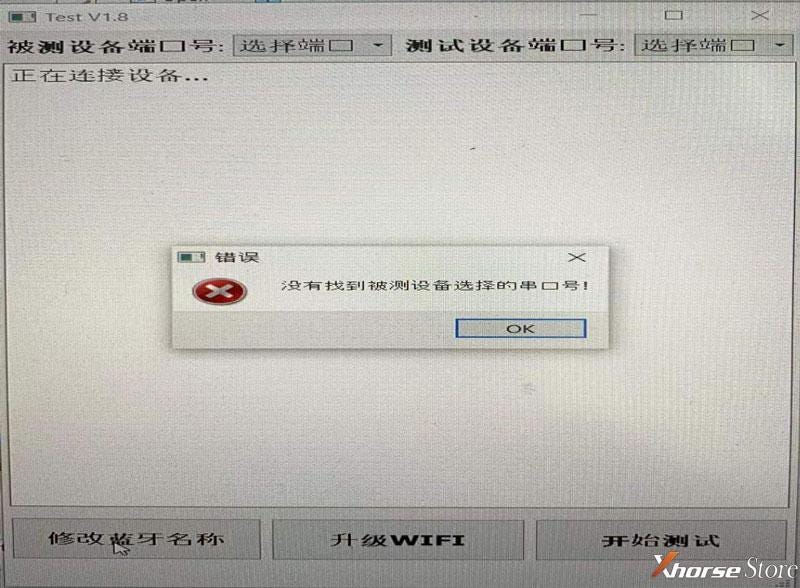
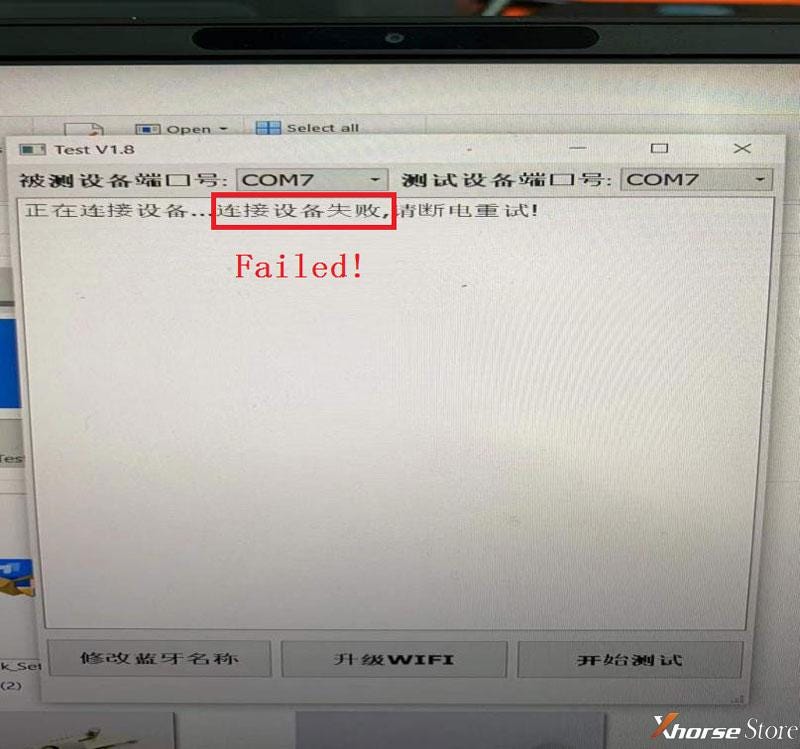
 If pop-up error like pic: restart software, plug and unplug Mini OBD Tool to
try again.
If pop-up error like pic: restart software, plug and unplug Mini OBD Tool to
try again.
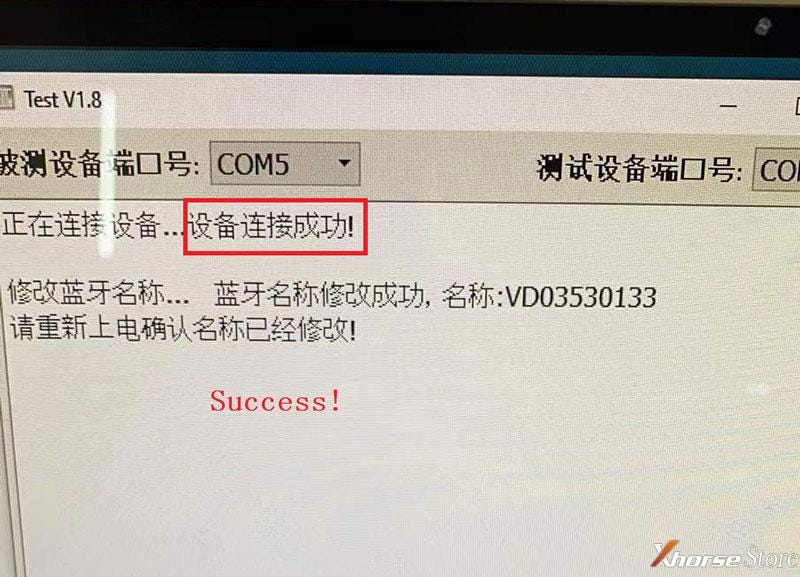
 If showing like pic below, which means success. Unplug Mini OBD Tool to
re-update WiFi firmware on phone.
If showing like pic below, which means success. Unplug Mini OBD Tool to
re-update WiFi firmware on phone.
Note:
Need to update firmware with a new WIFI or hotspot after repaired.
Noticed DO NOT use your phone's own hotspot.
Read also:
How to update Xhorse VVDI Mini OBD Tool firmware?


Comments
Post a Comment