What is the difference between the models of Xhorse remote keys?
Xhorse VVDI Remotes are covering 4 types: wired remote, wireless remote, super remote & smart remote. Considering many customers don’t know how to distinguish them, we have listed a comparison form & FAQs here for reference. Hope this can guide to right choice.
Xhorse VVDI Remotes Comparison
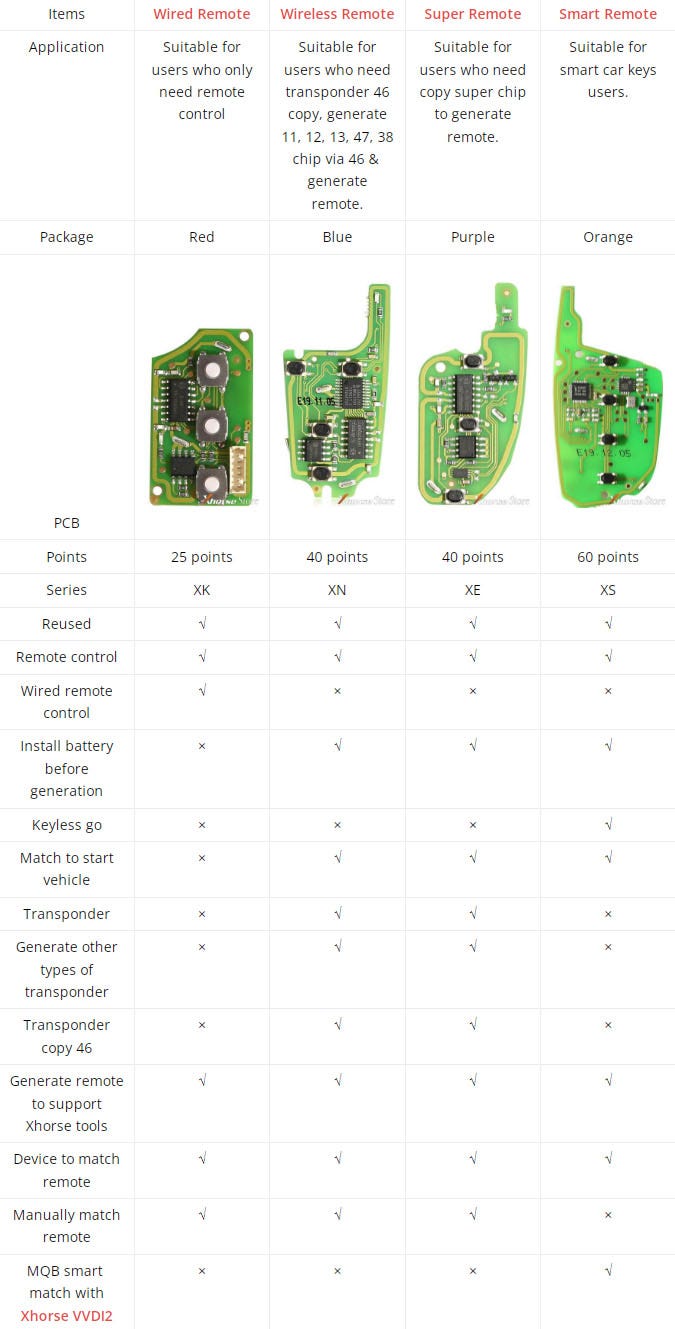
Features & Differences
VVDI Wired Remote:
VVDI Wireless Remote:
VVDI Super Remote:
VVDI Smart Remote:
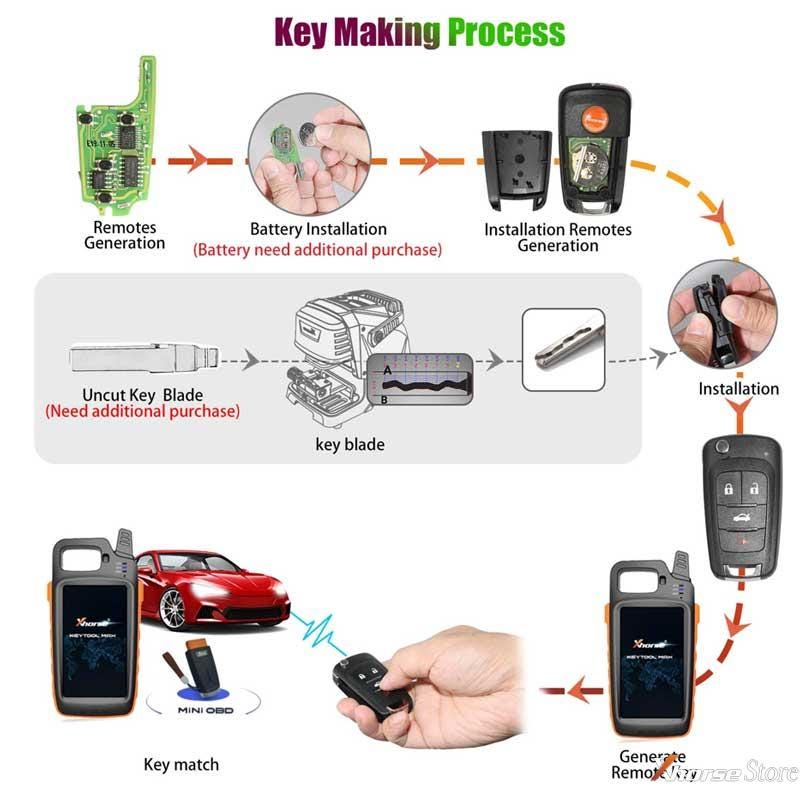
Xhorse VVDI Remotes FAQs
Q: How to modify Xhorse VVDI remotes frequency?
A: No need manual modification, its frequency is same as generated.
Q: What frequencies are supported?
A: Support 315MHz & 433 MHz at present, not support 868 or 902MHz.
Q: How to erase Xhorse remote keys to renew?
A: No need to erase, can be used directly. For example, if it’s VW Passta 315MHz for the first time, it can be directly generated Audi A6 433Mhz for the second time.
Q: Possible to work for TOYOTA smart keys?
A: XM Series Remotes are workable, XS series cannot.
Q: What car models can work for Xhorse remotes?
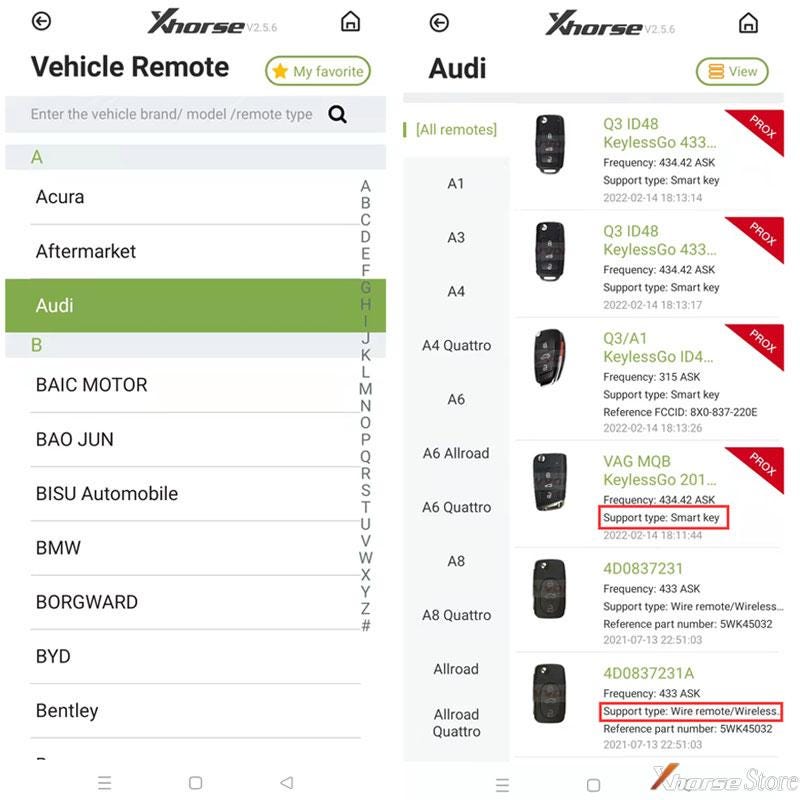
A: Users can install Xhorse app to check supported car model & key type before purchase. (Download in Google Play or APP Store on a phone)
Check Path: VVDI Mini Key Tool>> Vehicle Remote >> Car Model >> Supported Type
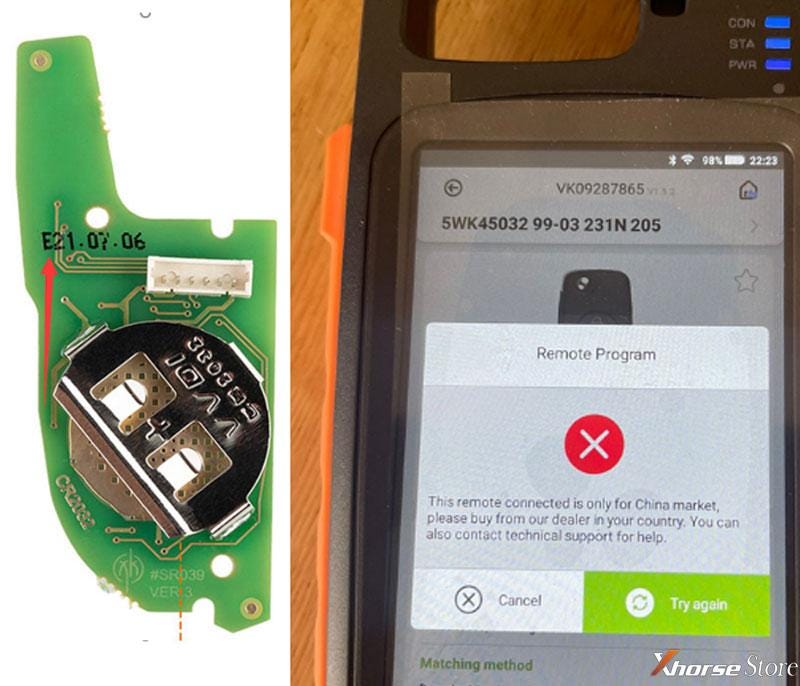
Q: Why it fails to generate, and prompts: “This remote connected is only for China market, please buy from our dealer in your country. You can also contact technical support for help.”
A: Please notice remote number beginning with C are only supported in China market. Please buy international version remotes beginning with E. They can’t be mix.
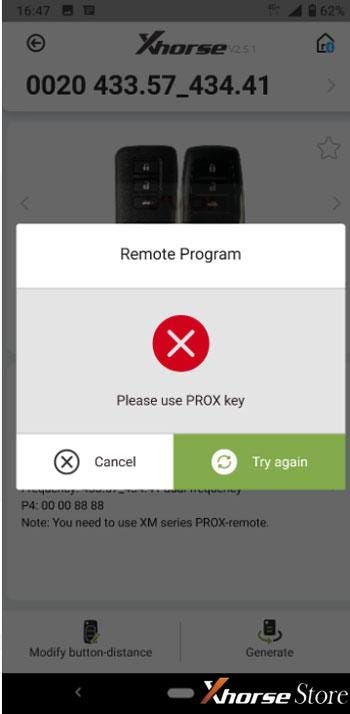
Q: What’s PROX key meaning? How to do if using a smart key to generate?
A: PROX key is XS series remote.
Follow the below steps to generate with smart key in this case:
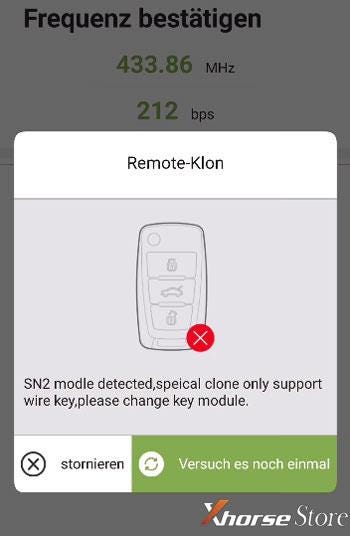
Q: How to do if it prompts: “SN2 modle detected, special clone only support wire key, please change key module.”?
A: Special clone can only support to use wire keys.


Comments
Post a Comment