Solved "Can't find BMW TOOL" for Installing VVDI BIMTOOL Software
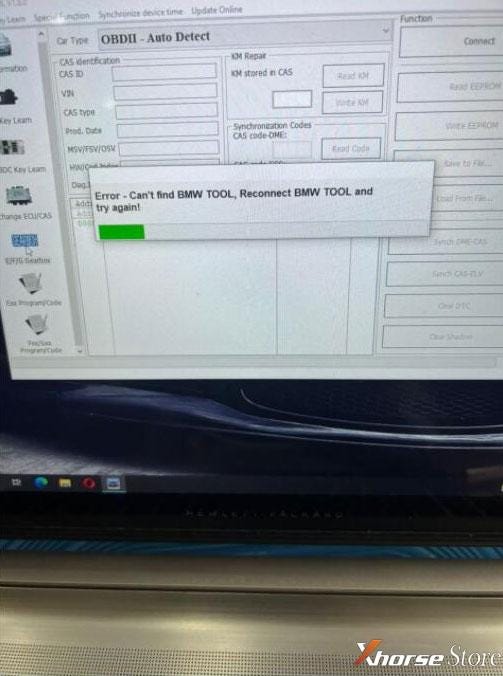
Problem: It came out with an attention while I was installing Xhorse VVDI BIMTOOL PRO software on computer. It’s said: “Error — Can’t find BMW TOOL, reconnect BMW TOOL, and try again!”
What’s the matter? Can you help me?
Solution
The reason why caused the warning message is because of antivirus program on computer.
Follow 3 steps below can solve the issue:
Step1. Reinstall VVDI BIMTOOL driver;
Step2. Close all firewall, PC manager, antivirus software when installation;
Step3. Reconnect device or restart computer.
Problem was solved!
More questions about VVDI BIM PRO installation, feel free to contact us.
Technical support:


Comments
Post a Comment