Soled: Error with Xhorse VVDI BIMTOOL PRO reset EWS
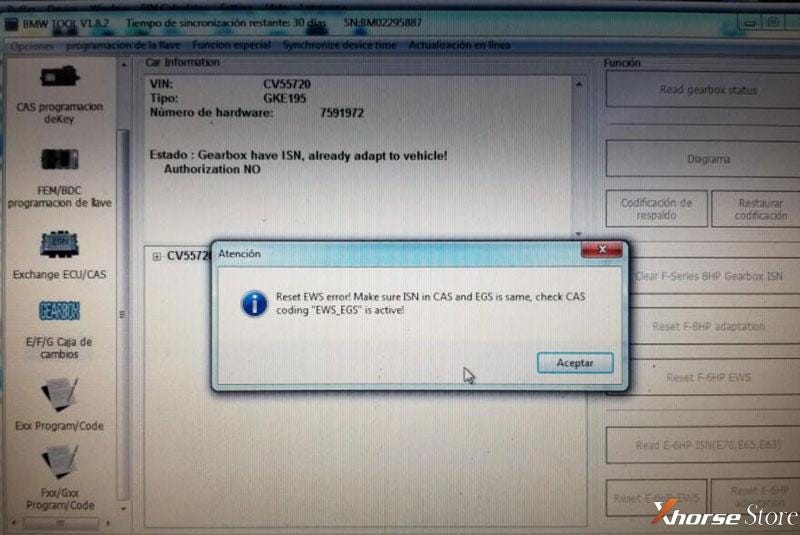
I have this error when resetting BMW EWS EGS E63. I don't know if it is an update problem, it is the first time I use Xhorse VVDI BIMTOOL PRO for this job to reset EWS EGS, what if it was solved with the update is the connection to 100 kb?
BMW TOOL Software says: “reset EWS error! Make sure ISN in CAS and EGS is same, check CAS coding ‘EWS_EGS’ is active!”.
Engineer Replies
- Check if ISN in CAS and EGS are same.
- Check if CAS coding “EWS_EGS” is active.
- Check if selected options are same as module.
- Last 2 digits of gearbox ISN should be same as engine, that ‘s the correct ISN.
If all above were correct, but still does not work. Please provide specific car model, year and logfiles to our online service. xhorsestore.co.uk engineer will help you.
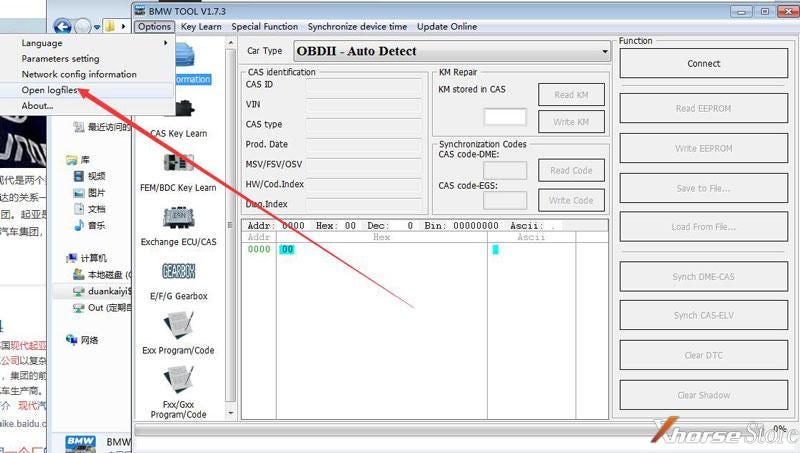
VVDI BIMTOOL Software path:
Options >> Open logfiles


Comments
Post a Comment