Solution: BMW VVDI BIMTOOL error 211 on flash programming
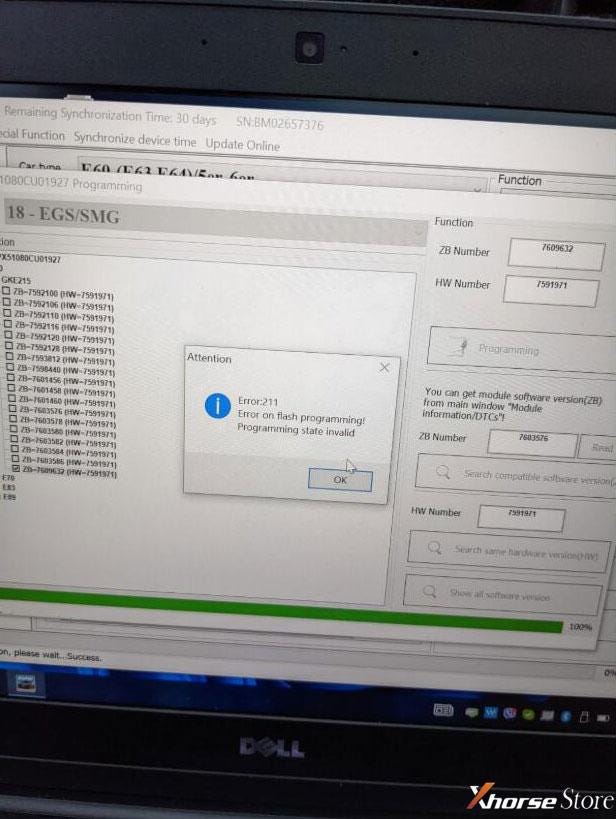
How to solve BMW tool Xhorse VVDI BIMTOOL PRO“Error: 211” when programming? It may prompt: “Error on flash programming! Programming state invalid”.
Solution
It’s no cause for concern, follow 2 steps below can easily fix it.
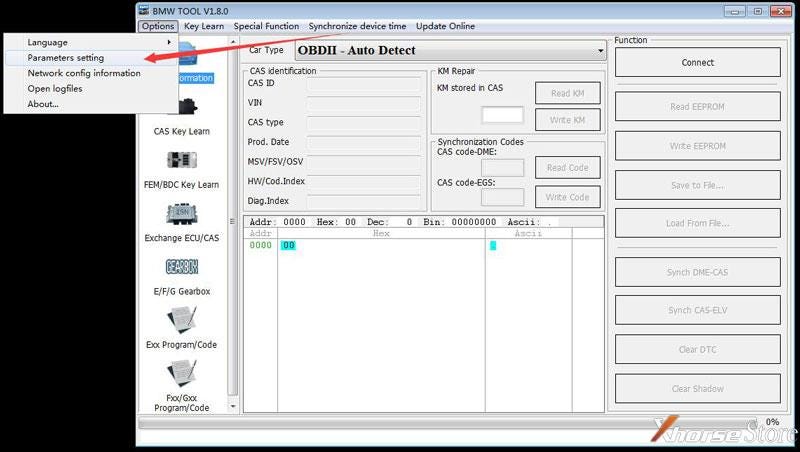
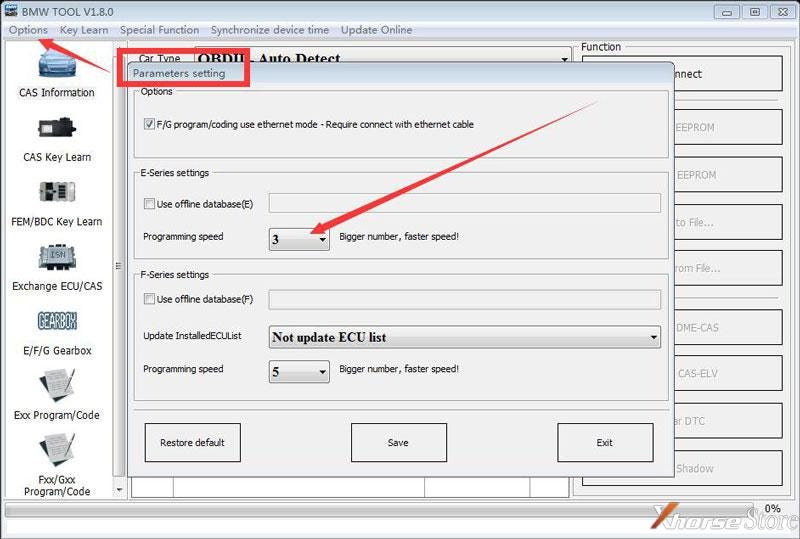
- Open BMW VVDI BIMTOOL software, locate the path: Synchronize device time >> Parameters setting >> Programming speed.
- Revise the programming speed to “1”.
Then the problem will be okay.
Error has gone!
Hope this is helpful.


Comments
Post a Comment