How Xhorse Audi BCM2 solder-free adapter works?
This is a guide to show how to use Audi BCM2 Solder-free Adapter working with Xhorse VVDI2 + VVDI Prog.
Operating Steps
Note: Make sure VVDI2 & VVDI Prog are the latest version(software, firmware).
- Connection
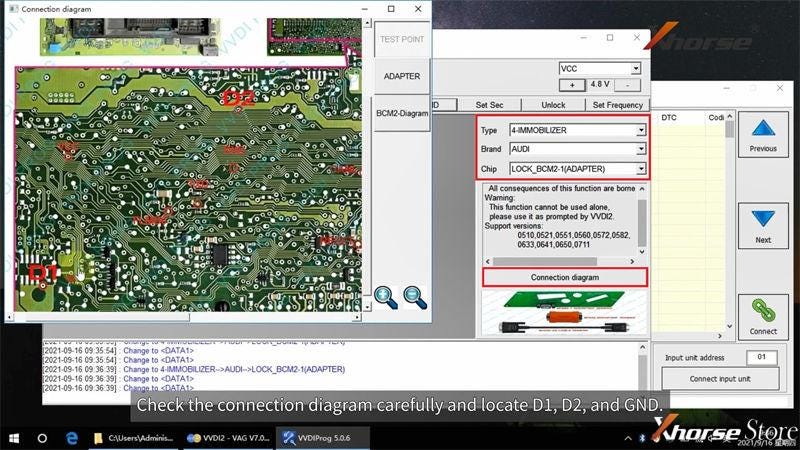
Open VVDI Prog software, follow the selections:
Type: 4-IMMOBILIZER
Brand: AUDI
Chip: LOCK_BCM2_1(ADAPTER)
Click “Connection diagram” to check the position of D1, D2 and GND.
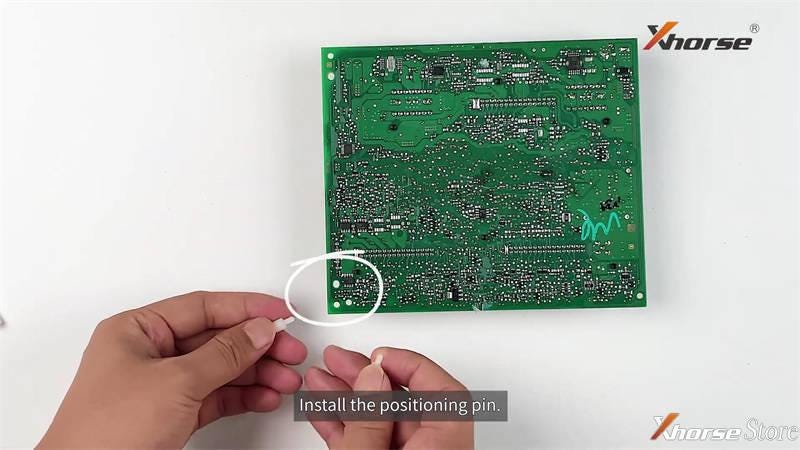
- Install the positioning pin.
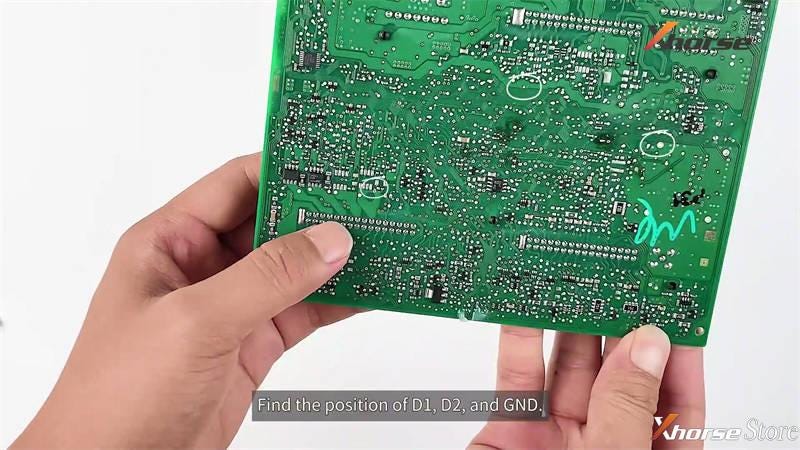
- Locate the positions of D1, D2, GND.
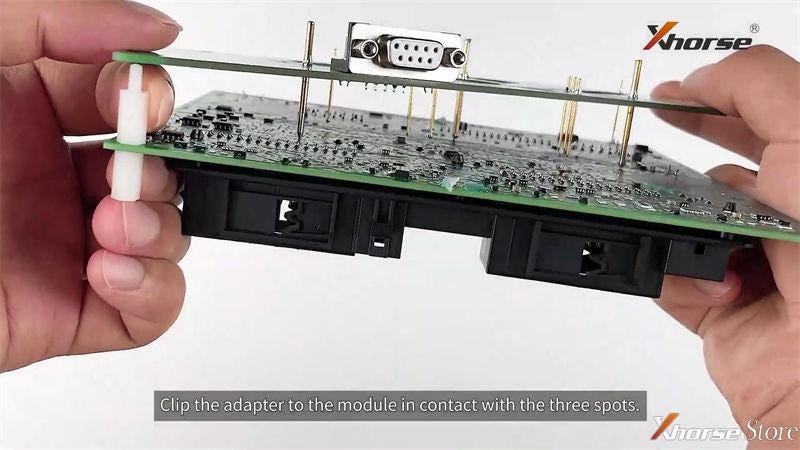
- Clip Solder-free Adapterto the BCM module in contact with 3 spots, and fix it.
- Connect BCM & Adapterto VVDI Prog (12V power supply).
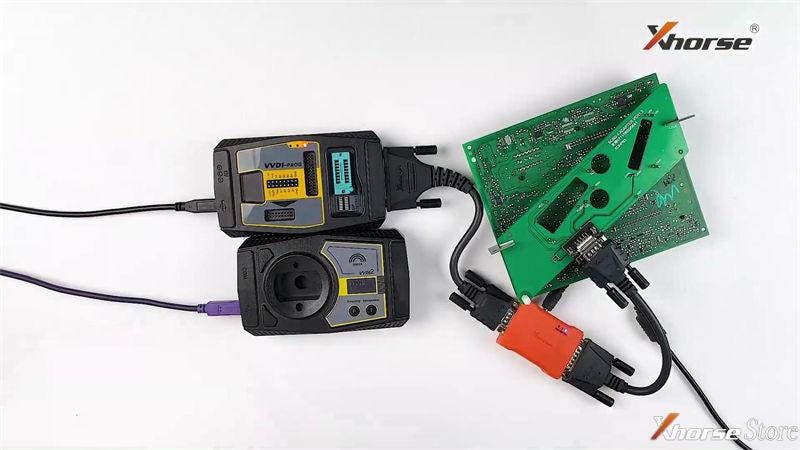
- Load BCM2 Data
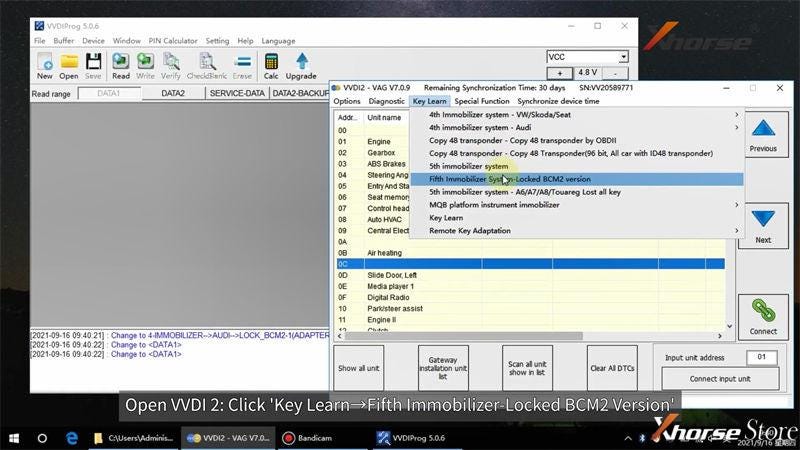
Open Xhorse VVDI2 software, follow the path to read instructions carefully:
Key learn >> Fifth immobilizer system - locked BCM2 version >> Details instructions
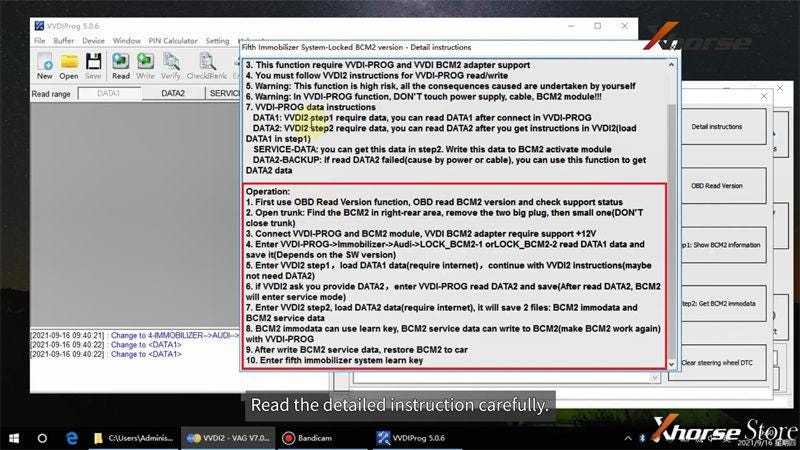
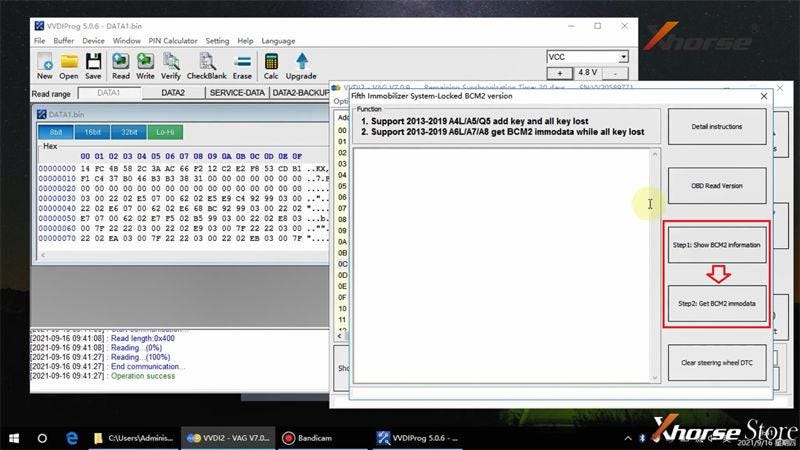
Go back to VVDI Prog, select DATA1 to read & save.
Click “Step1: Show BCM2 information” in VVDI2 to load DATA1 file
Go back to VVDI Prog to read & save DATA2 file.
Click “Step2: Get BCM2 immodata” in VVDI2 to load DATA2 file.
You’ll be asked to save immo data and service mode data during the step.
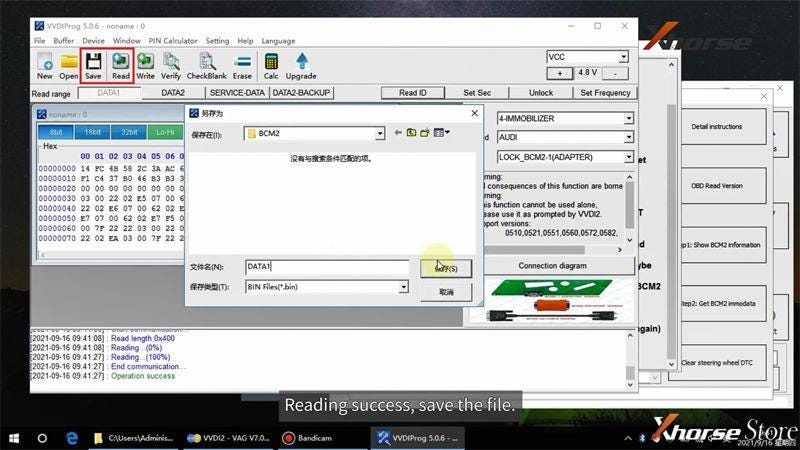
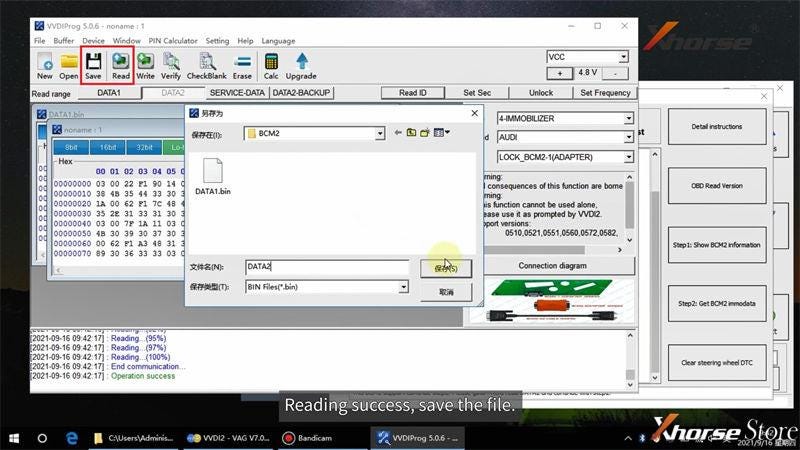
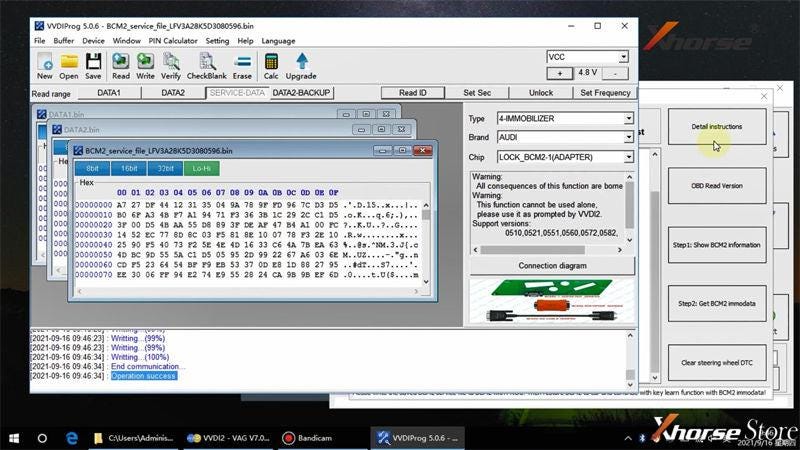
Service mode file must be written back to BCM2 module via VVDI Prog.
Open service mode file in VVDI Prog to write.
Please DO NOT move adapter or module during the process.
Writing success.
Now you can restore the BCM back to car, and ready to make a new Audi 754J Smart Key.
You may like:
FAQ: Xhorse BCM2 Solder-Free Adapter for Audi Add Key & All Key Lost
More questions welcome to contact us.
Technical support for this article: www.xhorsestore.co.uk


Comments
Post a Comment